



Scaling Google Ads isn’t just about throwing more money at your campaigns and hoping for the best. To grow effectively—and sustainably—you need a strategy rooted in data, structure, and continual optimization. Whether you’re a small business owner or managing a growing brand, smart scaling means doing more with what’s already working, fixing what’s not, and making strategic choices that stretch your budget further.
In this article, you’ll learn everything you need to know about Google Ads scaling—from advanced targeting techniques and bid strategies to creative testing and common mistakes to avoid. With practical examples, real-world insights, and proven methods, you’ll walk away with the tools to grow your campaigns effectively and efficiently, without wasting your budget.
Understanding Google Ads Scaling
Expanding your advertising efforts on the Google Ads platform involves increasing your ad spend while maintaining or improving performance. This process requires careful attention to ensure that you continue to achieve favourable cost per acquisition (CPA) and return on advertising spend (ROAS) rather than simply investing more funds into your campaigns haphazardly. Having a robust system for tracking conversions is vital before undertaking any scaling initiatives.
Before proceeding with expansion, the campaigns within your Google Ads account must have been operating beyond their learning phase for at least two weeks. By doing this, you can be confident in the stability of campaign performance, as they should yield consistent results by now. When planning growth strategies, it’s essential to carefully adjust your campaign structures in accordance with the complexity of your services and budget constraints.
Then, selecting the correct PPC ad formats and targeting options is crucial to maximizing visibility and conversions. By using advanced PPC strategies, you can minimize spending while optimizing performance metrics. If an analysis shows that high impression share losses are due mainly to limited budgets, this signals an opportunity for effectively scaling up. These conditions indicate that there is untapped potential audience reach that could benefit from increased funding availability.
Understanding these core ideas gives you a strong starting point for scaling your Google Ads campaigns with confidence. By closely monitoring your conversion metrics—especially your cost per acquisition (CPA)—you can ensure your efforts are actually yielding results. According to Instapage (2024), the average CPA for Google Ads search campaigns is $56.11, meaning if you’re consistently paying more than that, it could indicate inefficiencies in your strategy. In those cases, it’s better to optimize before scaling—otherwise, you risk increasing spend without improving returns. And don’t forget to adjust your budget around seasonal trends and busy periods in your industry—those are the moments when smart scaling can really boost your ROI.
Need a hand getting started or want a second set of eyes on your strategy? Book a free consultation with Panel Marketing, and let’s talk about how we can help you scale smarter, not just bigger.
Google Ads Fundamentals
Importance of Google Ads Account Structure
A strong Google Ads account structure is the foundation of any successful campaign. When your campaigns, ad groups, and keywords are clearly organized, it’s much easier to manage performance and make meaningful improvements. Instead of guessing what’s working, you can quickly identify what needs attention—and where your budget is making the most impact.
One useful approach is to create Single Keyword Ad Groups (SKAGs), which allow you to pair a single keyword with a tightly themed ad and landing page. This level of precision gives you more control over how your ads perform, helping boost relevance and click-through rates.
A well-structured account also reduces the chances of costly mistakes—like overlapping keywords or poorly matched ads—and helps keep your campaigns efficient. For example, separating product or service categories into their own ad groups lets you tailor your messaging and bidding strategy more effectively. The result? A better user experience, higher-quality leads, and more conversions for your spend. A little upfront organization goes a long way in running smarter, more profitable campaigns.
Understanding Ad Spend and PPC Budget Optimization
Managing your ad budget effectively is just as important as setting it. Strategic budget allocation means making sure your ad dollars are going to the campaigns, ad groups, and keywords that actually deliver results. It’s about aligning your PPC budget optimization with your overall business goals and using your data to guide smarter decisions.
The average cost-per-click in Google Ads is $2.67 for search and $0.63 for display across industries, according to 2024 benchmarks (WordStream, 2024). If your campaigns are consistently spending above these averages without delivering solid conversions, it could be a sign that your budget isn’t being allocated as efficiently as it could be. That’s why it’s crucial to stay aware of industry norms and adjust your bidding and budgeting strategies to reflect performance.
The key is to keep things flexible. Let’s say one of your ad groups consistently brings in high-quality traffic and leads—chances are, it deserves a bigger slice of your budget. On the flip side, if a campaign isn’t performing, it might be time to scale it back or test a different approach. You’ll also want to set aside part of your budget for experimenting—whether that’s A/B testing ad copy or trying a new bidding strategy—to keep your campaigns fresh and competitive.
PPC Budget optimization and allocation isn’t a one-and-done task. It requires regular check-ins, performance reviews, and adjustments. When you treat your budget as a tool—not just a number—you can get far more from your Google Ads campaigns without increasing your overall spend.
Not sure if your account structure or budget strategy is working as hard as it could be? Connect with us, and we’ll take a look and show you how to scale your Google Ads with confidence.
Keyword Research and Optimization
Strong Google Ads campaigns start with one thing: the right keywords. That means understanding what your audience is searching for and building your strategy around terms that are relevant, high-performing, and aligned with your goals.
Start by using tools like Google Keyword Planner or SEMrush to explore what your ideal customers are looking for. Look beyond broad terms—long-tail keywords are often less competitive and more likely to convert because they show specific intent. Think “best CRM software for small business” instead of just “CRM software.”

Don’t forget to analyze what your competitors are targeting too. With tools like SpyFu or Ubersuggest, you can see gaps or opportunities they may be missing. Digital marketing expert Neil Patel recommends using keyword research not just to find high-volume terms but to identify the real search intent behind them—so your ads meet your audience where they are in their buyer journey (Patel, 2024).
You can also experiment with broad match keywords, but keep them focused. Broad match can uncover new search terms and reach a wider audience—but only if you manage them carefully. Pair them with negative keywords to avoid irrelevant clicks and monitor your search query reports regularly to weed out terms that aren’t a good fit.
At Panel Marketing, we use powerful keyword tools and real-time data to find the highest-value search terms for your business—so you’re not just getting traffic, you’re getting the right traffic.
Audience Targeting and Signals
Targeting Specific Audiences Using Audience Targeting and Audience Signals
Targeting specific audiences is crucial for improving ad relevance and performance.
Here are some tips for targeting specific audiences using audience targeting and audience signals:
- Use Audience Targeting: Use audience targeting to reach specific audiences based on demographics, interests, and behaviors. Google Ads allows you to target users by age, gender, parental status, household income, and more, enabling you to tailor your ads to the most relevant audience segments.
- Leverage Audience Signals: Leverage audience signals like search history, browsing behavior, and device usage to improve targeting. Audience signals help you understand user intent and behavior, allowing you to create more personalized and effective ad campaigns.
- Create Custom Audiences: Create custom audiences based on your website data, customer lists, or third-party data. By implementing custom audiences, you can target users who have already interacted with your brand, increasing the likelihood of conversion.
- Use Lookalike Audiences: Use lookalike audiences to target users who are similar to your existing customers or website visitors. Lookalike audiences help you expand your reach to new potential customers who share characteristics with your best-performing audience segments.
- Refine and Optimize Audience Targeting: Continuously refine and optimize audience targeting to improve ad relevance and performance. Regularly review audience performance data and adjust your targeting strategy to focus on the most effective audience segments.
Case Study
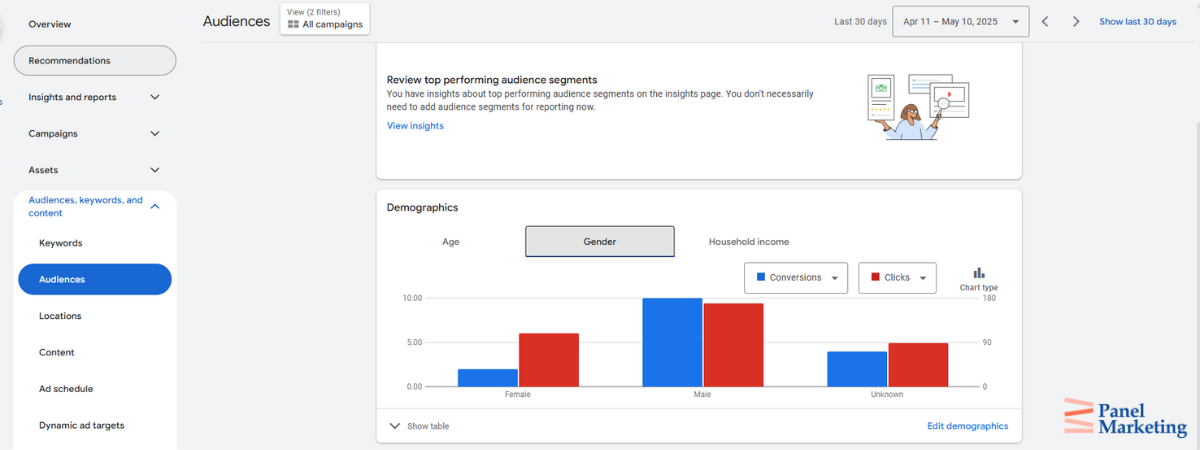
It is important to know your audience thoroughly before you start marketing on Google Ads. When we were marketing for one of our clients in a small town, we discovered that people were searching in a very particular way, and one audience (women 20-45) was much more valuable and profitable for the client as opposed to another audience that was searching for a similar product. We started to focus on bidding more for a specific audience during specific times and broadening our radius to accommodate that audience in its entirety. This led to higher margins for our client.
We would highly recommend doing a deep dive into who your customers are, what the margins are per customer, what the demographics of those customers are, and where they live. A quick analysis of those customers online can give you deep insights into what is really valuable for the client and, therefore, the best strategy for audience targeting. On Google Ads, this can lead to higher conversions and a lower cost per conversion.
By following these tips, you can improve your audience targeting and leverage audience signals to enhance ad relevance and performance. This targeted approach will help you achieve better results and maximize the ROI of your Google Ads campaigns.
Structuring Your Google Ads for Better Results
A strong campaign structure is the foundation of any successful Google Ads strategy. When your ad groups, keywords, and campaigns are clearly organized, it’s easier to optimize performance, test new ideas, and scale with confidence.
Start by grouping your ads by product or service type and by the intent behind each search. For even more control, consider using Single Keyword Ad Groups (SKAGs). These let you pair one keyword with a tightly focused ad and landing page, improving relevance and Quality Score.
Clear naming conventions and a logical hierarchy help you stay organized—especially as your account grows. And don’t forget about channel segmentation. Setting up separate ad groups for search, display, and video ensures each format gets its own budget and strategy.
With a clean structure, you avoid overlap, reduce wasted spend, and make smarter, faster decisions. Not sure if your setup is working as hard as it could be? Let Panel Marketing take a look and help you structure your account for growth.
Bidding and Bid Adjustments
Understanding Bidding Strategies and How to Make Them Work for You
Your bidding strategy plays a big role in how much you pay for each click—and how effectively your ads help you reach your business goals. Whether you’re trying to drive leads, boost brand awareness, or increase sales, choosing the right bidding approach in Google Ads can make all the difference.
For example, automated bidding strategies—like Google’s Smart Bidding—can adjust your bids in real-time based on the likelihood of a user converting, helping you get the most out of your budget (according to Google’s official guide).
Here’s a simple breakdown of how to make bidding strategies and adjustments work for you:
- Pick the Right Strategy for Your Goals: Not all bidding strategies are created equal. If you’re focused on getting more clicks, go with cost-per-click (CPC). Want to boost visibility? Cost-per-thousand impressions (CPM) is your go-to. Looking to increase sign-ups or sales? Try cost-per-acquisition (CPA) to focus your spend on actual results.
- Fine-Tune with Bid Adjustments: You don’t need to spend the same amount across the board. Bid adjustments enable you to allocate a larger budget to areas that perform better, such as increasing bids for mobile if those users tend to convert more frequently or during peak hours when your audience is most active.
- Let Smart Bidding Do the Heavy Lifting: Google’s automated bidding tools—like Target CPA and Target ROAS—use machine learning to adjust your bids in real-time. That means better targeting and more efficient spending, especially if you’re managing multiple campaigns or scaling up.
- Keep an Eye on Performance: Bidding isn’t set-it-and-forget-it. Make it a habit to check in regularly, see what’s working, and adjust as needed. Minor tweaks can make a big impact over time.
- Don’t Forget Negative Keywords: To make your budget go further, use negative keywords to filter out irrelevant traffic. This keeps your ads from showing up in searches that won’t lead to conversions—saving you money and boosting overall ad relevance.
Case Study
Not all bidding strategies are the same. For many of our clients, even within the same industry and the same vertical, we deploy different strategies to achieve the same goals. For example, for one client we would maximize clicks and for another client we would maximize conversions. There is quite a bit of change that happens when you switch your campaign from maximizing clicks to maximizing conversions, so be prepared to be patient for the changes that happen as a result and the metrics that change accordingly.
For one of our clients, we changed from maximizing conversions to maximizing clicks and then maximizing clicks back to maximizing conversions. The period in between all of those changes was roughly 3 to 4 weeks before those metrics normalized. Maximizing clicks is a great strategy to get a lot of insights into Google’s algorithm so that it can understand a large amount of data about your ads, business, goals, and campaign. This gives you lots of data fast to filter out all your bad negative keywords during this process. After getting enough conversions, clicks and all the right metrics, it is easier to move to a maximize conversions bidding strategy. However, be careful! Before maximizing conversions, ensure that your conversions are set up correctly and that they’re reporting back to Google as to what you are looking for exactly.
Getting your bidding strategy right means you’re not just spending—you’re investing. With the right approach and regular adjustments, your ads will perform better, your costs will be more predictable, and your results will speak for themselves.
Need help choosing the best strategy or figuring out where your budget’s going? Connect with us at Panel Marketing—we’ll help you bid smarter and scale faster.

Misconceptions About Google Ads Scaling
One of the biggest myths around Google Ads is that simply spending more will automatically get you better results. While it’s tempting to think that boosting your budget is the fastest path to growth, the truth is—scaling takes strategy. Without fixing conversion issues or tracking performance properly, more ad spend often just means more wasted dollars.
Another common mistake? Believing that throwing money at every campaign will magically solve underperformance. In reality, scaling requires careful planning, continuous testing, and smart adjustments. Campaigns need to be optimized, keywords need refining, and targeting needs to be dialed in before increasing spend actually pays off. Otherwise, you risk investing more without seeing better outcomes.
At the end of the day, successful scaling is about getting more from your budget—not just increasing it. And that means taking a smarter, more intentional approach to every piece of your campaign.
How to Run Successful Google Ads
Running successful Google Ads campaigns isn’t just about launching a few ads and hoping for the best—it’s about building a strong foundation and continuously improving from there.
Here’s what that looks like in practice:
- Start with Clear Goals and a Solid Structure: Know exactly what you’re trying to achieve—whether it’s generating leads, driving sales, or increasing brand visibility—and set up your campaigns to support that goal. Group your ads in a way that makes sense, such as by product type or service category, so you can stay organized and track what’s working.
- Keep Optimizing: Google Ads isn’t something you can put on autopilot. Regularly review your performance, refine your keywords, update your ad copy, and utilize ad extensions to provide users with more compelling reasons to click. Small changes over time can make a big difference.
- Try Different Ad Formats: Don’t limit yourself to just one type of ad. Video and display ads can be great for building awareness and grabbing attention early in the buyer journey, while search ads are powerful for capturing high-intent users.
- Go Beyond Google: Google Ads is great, but it’s not the only game in town. Platforms like Bing Ads can help you reach a broader audience and give you additional insights into how people interact with your brand.
- Test & Learn: Some of your best-performing ads might come from ideas you didn’t expect. Always be testing headlines, descriptions, landing pages, and offers. Data from these tests will guide smarter decisions moving forward.
When you combine structure, strategy, and flexibility, Google Ads can become a powerful tool for business growth. And if you’re not sure where to start—or how to take your current campaigns to the next level—we’re here to help. Reach out to Panel Marketing for a free consultation, and let’s see how we can scale your campaigns the right way.
11 Hidden Secrets for Scaling Google Ads Effectively
In today’s competitive digital landscape, mastering the art of Google Ads scaling is essential for businesses aiming to maximize their online presence without draining their budgets. While many understand the basics of pay-per-click (PPC) advertising, only a few harness the full potential of advanced techniques that drive efficiency and effectiveness.
Below, we uncover eleven hidden secrets of Google Ads scaling, each designed to not only reach a wider audience but also to convert them at a higher rate without proportionally increasing your spend. From audience layering to smart bidding strategies, these insights will transform how you manage and optimize your campaigns. Each strategy is accompanied by a practical example and a breakdown of its benefits, providing you with actionable knowledge to enhance your advertising efforts.
1. Audience Layering
Audience layering enables you to target your ideal customer more precisely by combining various types of audience data, such as age, interests, behaviors, and previous interactions with your brand. Instead of casting a wide net, this approach focuses your ads on the people most likely to convert.
Example: If you’re selling fitness equipment, you might target people aged 25–45 who’ve looked at your product pages but haven’t purchased yet. You could then add another layer by focusing on users who have previously purchased during your annual fitness sale.
Benefits: Layering helps you serve the right message to the right person at the right time. The result? More relevant ads, higher engagement, and better conversion rates. It also means you’re spending your ad budget more wisely—focusing only on people who are more likely to take action.
2. Dynamic Keyword Insertion (DKI)
Dynamic Keyword Insertion is a Google Ads feature that automatically updates your ad text to match the user’s actual search. This makes your ads feel more relevant and personal in real time.
Example: If you’re advertising affordable rugs and someone searches for “affordable kitchen rugs,” Google can automatically update your ad headline to match that exact phrase—instantly increasing its relevance.
Benefits: DKI boosts your click-through rates by showing users exactly what they’re looking for. When your ads match a user’s intent, you’re more likely to earn their click—and at a lower cost. It also helps improve your Quality Score, resulting in better ad positions and lower cost-per-click (CPC).
3. Geographic Bid Modifiers
Geographic bid modifiers enable you to adjust your bids in specific locations according to the performance of your ads in those areas. It’s a smart way to prioritize spend where you’re seeing the best results.
Example: A restaurant chain sees better conversion rates in city centers, so they increase bids by 20% for users in downtown areas. At the same time, they reduce bids in suburban zones where interest is lower.
Benefits: This helps you focus your budget on high-performing regions and cut back where conversions are less likely. It’s a simple, data-driven way to stretch your budget further while increasing your return on investment.
4. Ad Scheduling Optimization
Ad scheduling optimization means adjusting your ad schedule based on when your audience is most active or likely to convert. It’s all about showing up at the right moment.
Example: An online retailer discovers that most of their purchases happen on weekday evenings. Therefore, they increase bids during peak hours and decrease them during slower periods, such as early mornings or weekends.
Benefits: Timing really is everything. Optimizing your ad schedule means you’re making the most of your budget by focusing on the times that actually drive results. You can spend the same amount but get more value simply by showing up when it matters most.
5. Negative Keyword Refinement
Negative keywords are used to prevent your ads from showing up in irrelevant searches. Refining your negative keyword list helps ensure your ads only appear in searches that are likely to convert.
Example: A premium electronics brand adds negative keywords like “cheap” or “budget” to avoid clicks from users looking for lower-end options that don’t align with their price point.
Benefits: Refining your negative keywords helps cut down on wasted ad spend and keeps your campaigns focused. It filters out low-intent traffic, so your ads reach the people who are most likely to engage—and buy.
Case Study
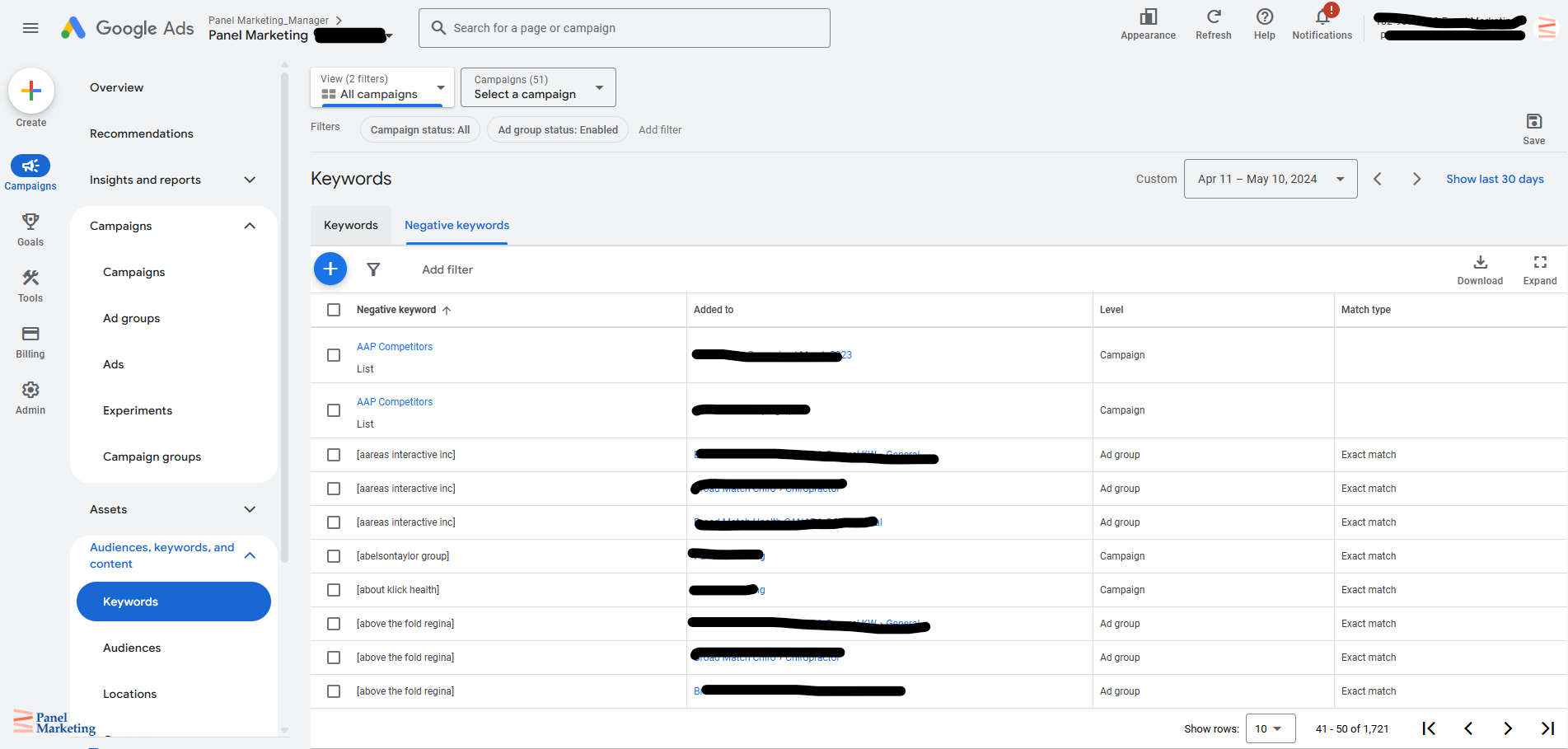
Negative keyword refinement is vital, and with all the campaigns you have set up, ensure that you look over the search terms carefully and consciously every day and then every week. At the beginning of the campaigns, we recommend looking at your campaign and search terms daily, followed by looking them over every week. A lot of Google Ads management is about 90% data analysis and 10% taking action on the account. This is important because you want to have a data-first approach. Everything is connected.
Imagine you are about to fly a plane, and you are in the cockpit, and you can see all these buttons, levers, dials, and instruments, and they’re all connected to each other. This is what Google Ads is basically about. If you make one change, there are other consequences of that change, including what happens with Google’s machine learning and algorithms.
For one of our clients, we set up broad keywords and multiple campaigns to very specifically target all the different services that they provide. However, with broad keywords comes a plethora of negative search terms, such as competitors’ names, products, and services that the company does not sell. In addition, all kinds of search terms are completely irrelevant to the business or its purpose.
Going through all those negative keywords can be a daunting task. On a day, you may have 400 search terms that you would have to go through. Remind yourself that this is the initial setup and part of the campaign that is arduous. Still, you’re telling Google’s algorithm what not to do and what to do, so take the time to go through these negative keywords and make sure that you are carefully selecting them.
One pro tip is to focus on lists. Negative keyword lists are an excellent way of managing your negative keywords so that in the event that you want to do a new campaign, transfer to a different account or experiment, then these negative lists will come in handy. Consider breaking these negative lists down into categories such as competitors, irrelevant search terms, or even by date.
6. RLSA with Custom Combinations
Remarketing Lists for Search Ads (RLSA) let you customize search ads for users who’ve already visited your site. By combining different behaviours—like which pages they visited or how far they got in the buying process—you can serve more relevant ads to people who are already familiar with your brand.
Example: A physiotherapy clinic wants to re-engage users who visited their booking page but didn’t follow through. They use RLSA with a custom combination to show those users a follow-up ad with a first-time client discount, encouraging them to come back and complete the booking.
Benefits: This strategy helps you reconnect with potential customers who are already warm leads. You can personalize your messaging based on past interactions, which often leads to better engagement and higher conversion rates—with less spend than trying to reach brand-new audiences.
7. Smart Bidding Strategies
Smart bidding utilizes Google’s machine learning to automatically adjust your bids in real time based on the likelihood of a user converting. It considers things like device, time of day, location, and previous interactions with your brand.
Example: A boutique uses smart bidding to promote its new handbag collection. Google’s system notices that users who shop on tablets in the evening are more likely to buy, so it raises bids during those windows—without the boutique having to lift a finger.
Benefits: Smart bidding takes the guesswork out of manual bid adjustments. It helps you get the most conversions for your budget by automatically putting more spend behind high-value moments. It’s especially useful when scaling campaigns or juggling multiple ad sets.
8. Cross-Device Conversion Tracking
This feature helps you track how users move between devices before converting. For example, someone might click your ad on a mobile device but complete their purchase on a laptop. Cross-device tracking lets you see that full journey.
Example: A beauty brand runs an ad on Instagram Stories that leads users to browse products on mobile. Later, many of those same users return on desktop to complete a purchase. With cross-device tracking, the brand can connect those dots and understand what’s working.
Benefits: When you understand how people move across devices, you can better attribute conversions and optimize campaigns. It ensures you’re not undervaluing certain touchpoints, and it gives you a fuller picture of your audience’s behaviour, leading to smarter budget allocation.
9. Structured Snippet Extensions
Structured snippets are add-ons that let you highlight more details under your ad—like product categories, service offerings, or unique features. They don’t link to a specific page but give people more context before they even click.
Example: A travel agency uses structured snippets to showcase options like “All-Inclusive Resorts,” “Guided Tours,” and “Family Packages” below their main ad. This helps users quickly understand what types of experiences are available.
Benefits: These extra details can make your ad more engaging and informative, which leads to higher click-through rates. They also help qualify leads—people who click are more likely to be genuinely interested in what you offer, saving you money and improving ROI.
10. Custom Intent Audiences
Custom intent audiences let you target people who are actively researching or showing interest in specific products or services based on their recent searches, content views, or browsing activity.
Example: A sporting goods store wants to promote a new line of trail running shoes. They create a custom intent audience made up of users who’ve recently searched for “best shoes for trail running” or visited review sites for outdoor gear.
Benefits: This is a powerful way to reach users who are already in the market for what you offer. Since the targeting is based on intent, your ads feel timely and relevant, which boosts engagement, improves conversions, and makes your budget go further.
11. Sequential Retargeting
Sequential retargeting is a strategy where users see a series of ads in a specific order based on how they’ve interacted with your site or previous ads. Instead of hitting them with the same message over and over, you guide them through a journey—from awareness to conversion—step by step.
Example: Let’s say a software company wants to promote its platform. First, they show an ad offering a free trial. A few days later, users see a second ad highlighting key features. Finally, they’re served a special discount to encourage sign-up. Each ad builds on the one before it.
Benefits: This approach keeps your brand front and center without overwhelming your audience. By tailoring your messaging to where someone is in their decision-making process, you can build trust, improve engagement, and gently nudge them toward taking action. It’s a great way to boost conversions—and it often leads to better customer retention, too.
Ad Copy and Creative Optimization
Writing ad copy that actually connects with your audience is one of the most important (and often overlooked) parts of a successful Google Ads campaign. It’s not just about stuffing in keywords—it’s about clearly showing people what makes your product or service worth clicking on. Great copy speaks directly to your audience’s needs, highlights what sets you apart, and includes a strong call-to-action that tells them exactly what to do next.
But copy is only one part of the puzzle. The format you choose to present your message matters, too. Some people respond better to bold visuals or engaging videos, while others might prefer quick, scannable text. Mixing things up with different formats—like search ads, display ads, or video—lets you connect with your audience in the way they prefer to receive information.
Finally, it’s important to test what you’re putting out there. What works today might not work tomorrow, and sometimes, a small tweak to your headline or image can make a big difference. By continuously testing and refining your creative elements, you can boost ad relevance, improve click-through rates, and drive more conversions.
Creative copy doesn’t have to be complicated, but it does need to be thoughtful. Keep optimizing and stay flexible, and you’ll see better results from your Google Ads campaigns.

Need help fine-tuning your ad copy or figuring out which formats are right for your audience? Connect with our team at Panel Marketing—we’ll help you craft a strategy that converts.
Common Google Ads mistakes to avoid when Google Ads Scaling
Scaling your Google Ads campaigns can unlock major growth—but only if you avoid some of the most common (and costly) mistakes along the way. Here are a few Google Ads mistakes to avoid:
Not Defining What Counts as a Conversion
One of the biggest missteps is not being clear on what success looks like. If you haven’t defined what counts as a conversion—whether it’s a form fill, a purchase, or a phone call—you’re flying blind. You’ll struggle to understand what’s actually working. Make sure you’ve set clear goals and have conversion tracking in place before you start scaling. It’s the only way to measure real results.
Letting Automated Bidding Run Without Clear Targets
Google’s automated bidding tools are powerful, but they still need direction. If you don’t set specific goals—like a target CPA or ROAS—you could end up overspending without seeing much in return. Keep a close eye on performance and regularly check that your bidding strategy is still aligned with your overall campaign goals.
Relying Too Heavily on Broad Match Keywords
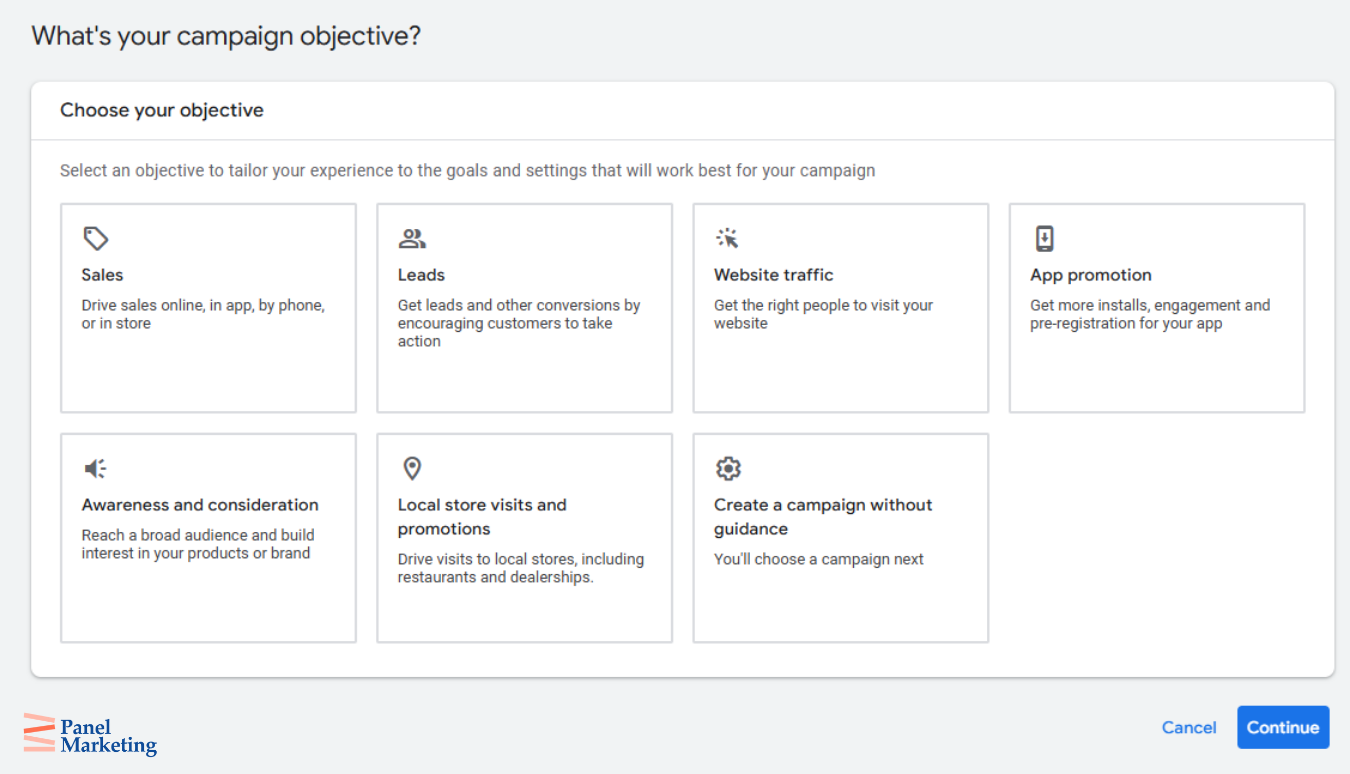
Broad match keywords can cast a wide net—but sometimes too wide. You might receive a high number of clicks, but if they’re from the wrong audience, your budget can be quickly depleted. Combine broad match with a strong negative keyword list to keep your traffic relevant and your spend efficient.
Neglecting Ad Copy Testing
It’s easy to set up ad copy and forget about it, but that usually means missing out on better performance. If you’re not testing headlines, CTAs, and messaging, you might be leaving conversions on the table. Regular A/B testing helps you figure out what actually resonates with your audience so you can double down on what works.
Avoiding these common mistakes can make a big difference as you scale. The goal isn’t just to spend more—it’s to grow smarter and more efficiently. Want a second set of eyes on your campaigns? Book a free consultation with Panel Marketing, and let’s make sure you’re scaling the right way.
How to Use Metrics and Analysis for Google Ads Scaling
Scaling your Google Ads strategy isn’t just about spending more—it’s about spending smarter. The real power lies in understanding what the numbers are telling you. Tools like Google Analytics and Google Ads reports can help you figure out what’s working, what’s not, and where your best opportunities for growth are. Here’s how to make the most of your data when scaling.
Review Your Campaign Structure and Segments
Start by looking at how your campaigns are set up. Are your ad groups focused and relevant? Are certain segments outperforming others? Identifying which parts are driving results—and which ones are lagging—lets you make smart adjustments that improve overall performance without starting from scratch.
Check Your Impression Share
Impression share tells you how often your ads are showing up compared to how often they could be. If your impression share is low, that might be a sign you’re getting outbid or that your budget is too limited in high-performing areas. Increasing your investment here can help your ads show up more often, especially where it matters most.
Analyze Your Keywords and Search Terms
Not all traffic is created equal. Regularly review which keywords and search terms are driving your clicks and conversions. Invest more in those that are generating quality leads and reduce spending on those that aren’t. This kind of keyword tuning keeps your spend focused and efficient.
Understand the Full Journey with Attribution
Customers often interact with multiple ads before converting. Attribution analysis helps you see which touchpoints matter most—whether it’s a first click on a blog post or a final nudge from a retargeting ad. With this insight, you can make more informed decisions about where to put your budget.
Keep an Eye on Automation
If you’re using automated bidding or other smart features, don’t just set them and forget them. Monitor their performance regularly. Algorithms need time and data to learn, but they also need oversight to make sure they’re delivering results. Small tweaks here can prevent wasted spend and keep your campaigns running smoothly.
When you take the time to dive into the data, you gain the clarity needed to grow your campaigns with confidence. Smart scaling isn’t about throwing more money at ads—it’s about making informed, strategic decisions that increase your ROI. Curious about how your current campaigns stack up? Get in touch with the team at Panel Marketing, and we’ll show you how to turn your metrics into momentum.

Conclusion
Scaling your Google Ads campaigns is more than a budget decision—it’s a strategic process that blends data, targeting, creativity, and optimization. By using tactics like audience layering, smart bidding, and sequential retargeting, and by staying focused on performance metrics and user behaviour, you can grow your campaigns while keeping ROI front and center.
If you’re ready to scale smarter—not just bigger—our team at Panel Marketing is here to help. Book a free consultation today, and let’s discuss how we can refine your strategy, enhance your results, and maximize your ad spend. Contact us here.
Learn more about our Google Ads efforts here.
References
- (2025). Bid strategy report for automated bidding strategies. Google Ads Help. Retrieved April 3, 2025, from https://support.google.com/google-ads/answer/7074566
- (2025). Google Ads industry benchmarks data you must see. Retrieved April 3, 2025, from https://instapage.com/blog/google-ads-industry-benchmarks/
- Neil Patel. (2024, December 17). How to successfully do keyword research for SEO. Retrieved April 3, 2025, from https://neilpatel.com/blog/keyword-research
- (2024, February 26). How much does Google Ads cost in 2024? Retrieved April 3, 2025, from https://www.wordstream.com/blog/ws/2015/05/21/how-much-does-adwords-cost